bbPress gives you the moderation basics out of the box: Keymaster and Moderator roles, moderators for single forums, a pending queue fed by the word lists in Settings > Discussion, spam and trash statuses, and Akismet spam checks. What it lacks is a way for readers to report a post, a deadline on reports, and a record of what was removed and when.
This guide to WordPress forum moderation covers the built-in tools in bbPress, BuddyPress, BuddyBoss and wpForo, where each one stops, and a removal workflow that fills the gaps. I checked each feature against the code of bbPress 2.6.22, BuddyPress 14.5.6 and wpForo 3.2.5, and against BuddyBoss’s own docs, in November 2026.
bbPress moderation tools you already have
bbPress runs forum permissions through its own roles, separate from WordPress roles. You set them in the Forum Role field on a user’s profile. The bbPress user roles and capabilities guide lists five: Keymaster, Moderator, Participant, Spectator and Blocked.
- Moderator role. A Moderator can edit, close, stick, merge, split, move, trash and mark as spam other members’ topics and replies, approve held posts, see trashed content and post without the flood limit. Only Keymasters can change the forum settings.
- Per-forum moderators. Since bbPress 2.6, Settings > Forums has “Allow forums to have dedicated moderators”. With it on, each forum’s edit screen gets a Forum Moderators box where you add user names, so a member can moderate one forum without the global role.
- Pending, spam and trash. A held topic or reply gets the pending status and waits for approval. Moderators see Approve, Spam and Trash links on the post itself, and the Topics and Replies screens in the dashboard filter by each status.
- Word lists from Settings > Discussion. bbPress reuses two WordPress comment settings. A topic or reply that matches the Comment Moderation list, or reaches the “Hold a comment in the queue” link limit, is held as pending. One that matches the Disallowed Comment Keys list is refused with an error. Keymasters skip both checks and Moderators skip the hold list. The “Comment must be manually approved” box does not apply to forum posts.
- Akismet. With the Akismet plugin active, Settings > Forums shows “Use Akismet”, on by default. New topics and replies are checked, and marking a post as spam or not spam reports it back to Akismet.
- Blocked role. A member set to Blocked loses every forum capability and can no longer post.
What bbPress moderation is missing
All of those tools act on posts your team has already found. Three things are missing when the problem comes from outside.
- A report path. bbPress has no report link. A member who spots a harmful reply has to find your contact page, and a person without an account, often the person in the photo, has no route at all.
- A deadline. Nothing tracks how long a report or a held post has waited. A report sent on Friday night looks the same on Monday.
- A record. Trashing a reply changes its status, nothing more. No log shows who reported it, who removed it, when or why, and WordPress empties the trash after 30 days by default.
If members upload images through an attachments plugin, removing the reply can also leave the files, and every resized copy, at their own addresses.
BuddyPress moderation: what core gives you
BuddyPress has no report button and no moderation queue. Here is what it does have:
- Word lists, with a twist. The same Settings > Discussion lists apply to activity updates and comments, but a match is refused instead of held for review. BuddyPress’s own code calls this “temporary until some kind of moderation is built”.
- Akismet for activity. Settings > BuddyPress has “Allow Akismet to scan for activity stream spam”.
- The Activity screen. In the dashboard, Activity lists every update with edit, spam and delete links and a bulk “Mark as Spam” action. The BuddyPress activity management guide walks through it.
- Spammer status. An admin can mark a member as a spammer from their dashboard profile, which also marks all of their activity as spam.
- Group tools. Group admins can remove a member or use “Kick & Ban” on the group’s member management screen.
Each of these starts with an admin noticing the problem. Members can’t flag anything.
BuddyBoss moderation: the built-in Moderation component
BuddyBoss Platform, the BuddyPress fork, ships a Moderation component that covers the reporting gap. Turn it on under BuddyBoss > Components, and you get:
- Content reporting. Under BuddyBoss > Moderation > Content Reporting, you choose what members can report: activity posts and comments, groups, forums, discussions, replies, documents, photos, videos and blog comments. Members pick a reason from report categories you can edit.
- Auto-hide. Each content type has an “Auto hide after X reports” setting, plus an optional email to administrators when something is hidden.
- Blocking and member reports. Members can block or report other members, and you can suspend an account automatically after a set number of blocks or reports.
- Review. The Moderation screen lists flagged members and reported content, where an admin can hide or unhide an item and suspend its owner.
Check your plan first. BuddyBoss’s content reporting guide covers the reporting settings, while its member moderation guide marks the auto-suspend settings as Pro plan or higher. Reporting is a member feature, so someone without an account still has no path, and no deadline clock runs on a report.
wpForo moderation and its Report button
Of the four, wpForo has the most complete set for a forum.
- Report button. Each post has a report abuse button for user groups with the “Can report post” permission, which by default is every group except guests. New members still under spam control can’t use it. The reporter writes a reason, and wpForo emails it to the forum’s admin address with a link to the post. The wpForo guide to reporting a post explains the permission.
- Hold reported posts. The Spam Protection settings include “Make the reported post unapproved”, off by default, which moves a reported post into moderation right away.
- Moderation screen. wpForo > Moderation lists unapproved posts for review.
- Spam control for new members. A member’s first 3 posts get stricter spam checks by default, with options for manual approval, a ban on suspected spam and an Akismet check.
The report only exists as an email to one address: no report list, no deadline, no record of what happened next, and nothing for guests.
bbPress, BuddyPress, BuddyBoss and wpForo compared
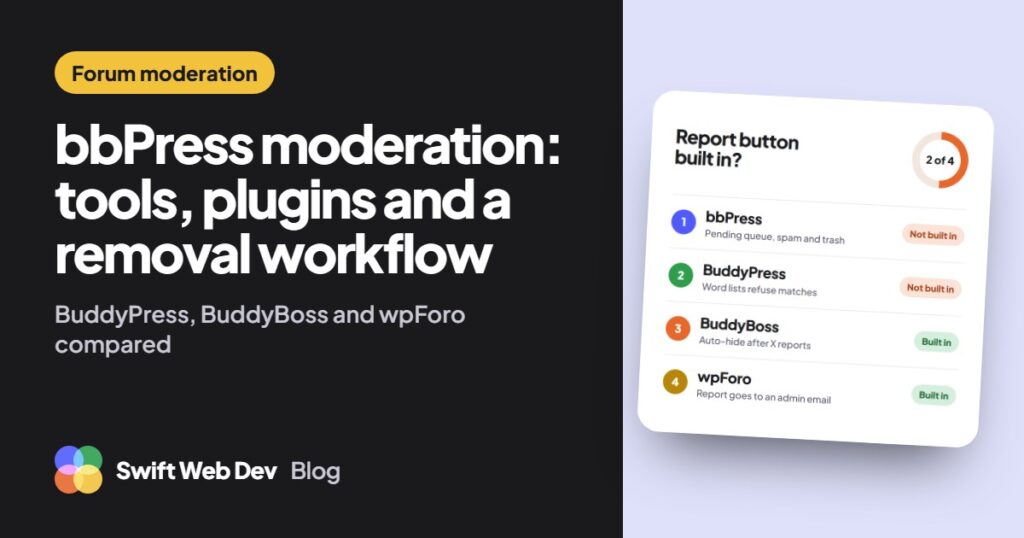
| Platform | Built-in report button | Moderation queue | Auto-hide | Removal record |
|---|---|---|---|---|
| bbPress | No | Yes, pending posts | No | No |
| BuddyPress | No | No, matches are refused | No | No |
| BuddyBoss Platform | Yes, for members | Yes, reported content screen | Yes, after a set number of reports | A list of reports, not a removal log |
| wpForo | Yes, for members, sent by email | Yes, unapproved posts | Optional: reported posts are held | No |
A practical moderation workflow
Whatever the platform, the same five steps hold up when a report about user-generated content matters.
- Intake. Give everyone a way to report content, including people without an account: a link under posts that opens a form, plus an address on your contact page. Give every report an ID and note when it arrived.
- Triage. Read each report the same day and sort it: spam, a rules issue, a copyright notice, or an intimate image shared without consent. The last two have legal clocks, covered below. Ask for anything missing right away.
- Remove the item and its copies. Trash or unpublish the topic or reply, then look for the same image or text elsewhere: other replies, the media library, resized copies, caches and CDNs. Open the old addresses in a private window to confirm they’re gone.
- Notify. Tell the reporter what you did, or why you didn’t act. Decide whether to tell the poster, and never name the reporter.
- Keep a dated record. Note who reported what, when it arrived, who removed it, when and why. A shared spreadsheet works for a small forum, and the record shows you acted in good faith.
Send report alerts to at least two people, so a weekend or a holiday doesn’t stall the queue.
Why removal speed matters: the Take It Down Act and DMCA notices
For forums and communities with US visitors, two laws turn moderation into a deadline.
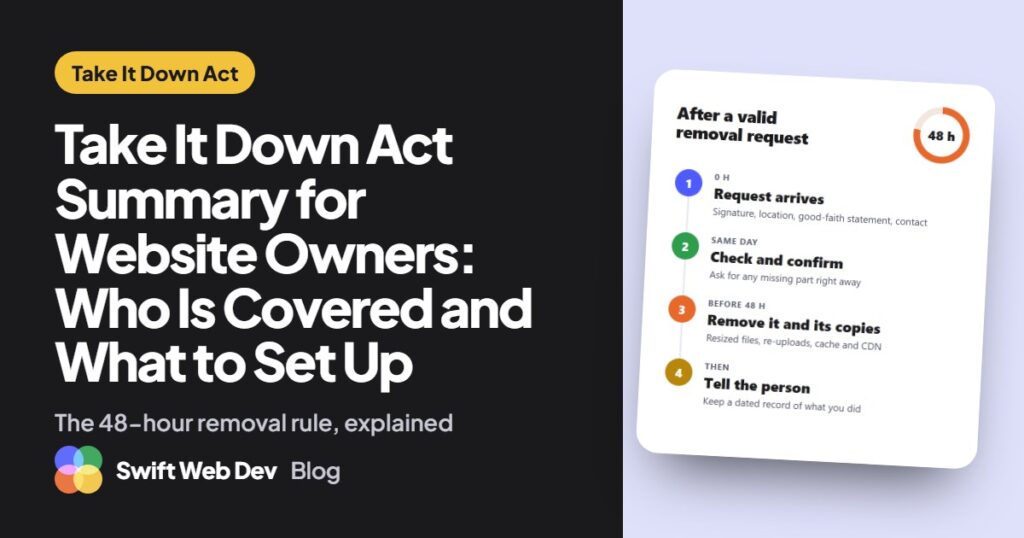
The Take It Down Act. Sites that mainly host user content, which includes most forums and member communities, must remove an intimate image shared without consent within 48 hours of a valid request, along with known identical copies on the site. The FTC has enforced it since May 19, 2026. My Take It Down Act summary for website owners covers who is covered and the four parts of a valid request.
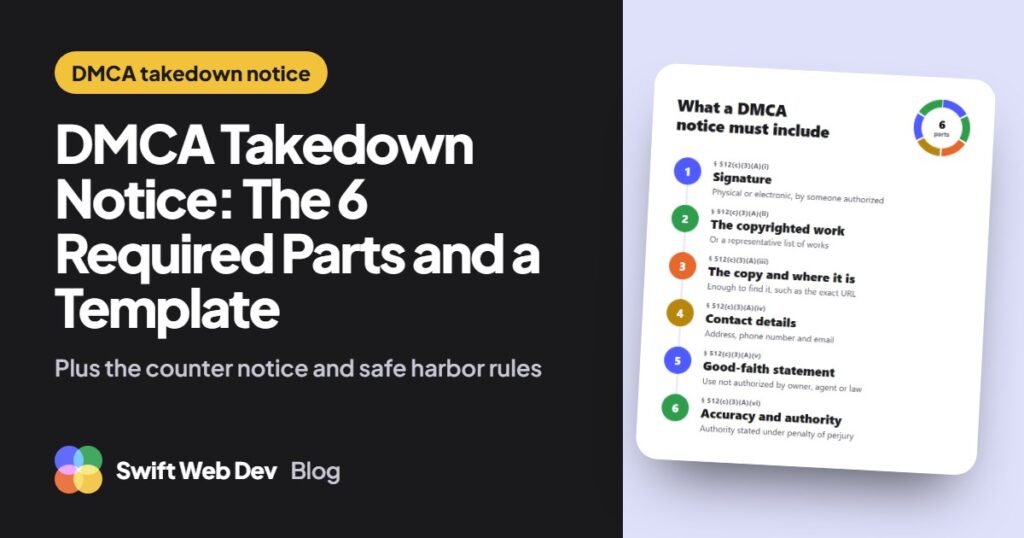
DMCA copyright notices. To keep the safe harbor in 17 U.S.C. § 512, a site must remove reported material “expeditiously” after a valid notice, register a designated agent with the US Copyright Office and renew it every three years, and have a policy for repeat infringers. The law sets no hour count, so pick a target and keep to it.
None of the four platforms keeps that clock or that record for you.
Plugins that fill the moderation gaps
No single forum moderation plugin covers everything, so pick by the gap you have. These three are maintained on WordPress.org as of November 2026.
- Akismet Anti-spam filters spam in bbPress topics and replies and in BuddyPress activity, through integrations both plugins already include. It doesn’t handle reports.
- bbp style pack by Robin W has a Moderation section, the former bbPress Moderation Tools plugin. It holds posts by rules, such as guest posts or links from unapproved members, adds a Report link with a reason list for logged-in members, and emails moderators about held and reported posts.
- Block, Suspend, Report for BuddyPress lets members block each other and report a member from their profile, lets admins suspend accounts, and can suspend a member automatically after a set number of reports.
If the gap is legal removal requests rather than spam, that is the job of Takedown Desk, the bbPress moderation plugin I built. The free Takedown Desk plugin on WordPress.org works with bbPress out of the box: a “Request removal” link under topics and replies that anyone can use without an account, a 48-hour clock with reminders, one action that removes the reported topic or reply along with identical copies of the image, and a dated record you can export as CSV. An optional form takes DMCA notices too. Setup steps and screenshots are on the Takedown Desk plugin page.
Takedown Desk Pro is a paid add-on for busier communities. It brings the same removal flow to BuddyPress, BuddyBoss Platform, PeepSo, Better Messages, Ultimate Member, wpForo and WooCommerce product reviews, and adds altered-copy matching, which finds resized, recolored or mirrored versions of a reported image. Neither version filters spam or holds new posts, so both sit beside the tools above.
Questions people ask about bbPress moderation
How do I add a moderator in bbPress?
Go to Users, edit the person’s profile and set Forum Role to Moderator. To limit them to one forum, turn on “Allow forums to have dedicated moderators” in Settings > Forums, leave their forum role as Participant and add their user name in the Forum Moderators box on that forum’s edit screen.
How do I add a report button to bbPress?
bbPress doesn’t include one. bbp style pack adds a Report link for logged-in members. For requests from anyone, including people without an account, Takedown Desk adds a “Request removal” link under every topic and reply. At the very least, link your contact form from the forum.
Can bbPress hold every new post for approval?
Not on its own. bbPress only holds posts that match your moderation word list or reach the link limit. bbp style pack adds rules that hold posts from guests, from unapproved members or from everyone.
Where do held bbPress posts show up?
In the dashboard under Topics and Replies, in the Pending view. Moderators also get an Approve link among the post’s moderation links on the forum.
Does BuddyPress have moderation?
Only basic tools: word lists that refuse matching updates, Akismet, spam actions on the Activity screen, spammer status and group bans. There’s no report button or queue. BuddyBoss Platform and Block, Suspend, Report add reporting.
Does a small forum need a removal process?
The Take It Down Act has no size or traffic threshold, so a small forum that mainly hosts member posts is covered the same way as a large one. A report link, a deadline and a record are worth setting up either way. This is a plain-English guide, not legal advice.