You can get useful visitor stats in WordPress without Google Analytics. A self-hosted analytics plugin counts visits on your own server, stores the numbers in your own database and shows them in the WordPress admin. Many of these plugins don’t use cookies at all, so there’s no Google account to set up, no tracking code to paste and no data sent to a third party.
I build WordPress sites for clients, and most of them only want three answers: how many people came, which pages they read and whether traffic is going up. Google Analytics can answer that, but it’s a lot of tool for a small question. This guide covers the main ways to track WordPress visitors without it, what each one is good at, and how to choose.
Why site owners look for a Google Analytics alternative
The reasons I hear most often are practical, not ideological.
- It’s complex. Google Analytics 4 is built for marketing teams. Finding a plain “visitors this week” number takes several clicks and some knowledge of its reports.
- It lives somewhere else. You have to log in to a separate Google account to see your numbers, and the data sits on Google’s servers.
- It uses cookies. The standard Google Analytics setup sets cookies in the visitor’s browser. In the EU, the UK and several other places, cookies like these usually need the visitor’s consent first, and visitors who decline aren’t counted.
- It adds a third-party script. Every page loads Google’s tag, which is one more request and one more script running in the visitor’s browser.
None of this makes Google Analytics wrong. If you run ads, track conversions across several sites or need funnels and audiences, it’s still the stronger tool. If you just want to know how your site is doing, there are simpler options.
Three ways to get WordPress analytics without Google
1. A self-hosted WordPress analytics plugin
This is the most common route. The plugin adds a small counter to your pages, records each visit in your WordPress database and shows the stats on a dashboard screen. Nothing leaves your server, and there’s usually nothing to configure after you activate it.
The trade-off is that your database does the work. A busy site stores more rows, so check how a plugin cleans up old data. The good ones keep detailed records for a short time and keep only daily totals after that.
2. A hosted privacy-friendly analytics service
Services such as Plausible and Fathom run the analytics on their own servers, like Google does, but they’re designed around privacy and they don’t use cookies. You add their script or their WordPress plugin, and you read the stats on their website.
These are good when you manage many sites and want one dashboard for all of them, or when you don’t want analytics data in your WordPress database at all. Their hosted plans are paid (Plausible can also be self-hosted), and with the hosted plans your data sits with that company instead of on your own server.
3. Your hosting server’s statistics
Many hosts include server-side statistics in the control panel, such as AWStats or a built-in traffic report. These read the web server’s log files, so they need nothing on the site and they count every request.
That last part is the catch. Server logs count bots, crawlers and asset requests along with real people, so the numbers are usually much higher than what a browser-based counter reports. They’re useful for spotting traffic spikes, less useful for knowing how many humans read a post.
Popular WordPress analytics plugins that don’t need Google
These are the main self-hosted options on WordPress.org. The install counts, ratings and update dates come from the WordPress.org plugin directory on October 29, 2026. The descriptions are based on each plugin’s own listing, so check its page for the current details before you install.
| Plugin | Active installs | Rating | Last updated | What its listing says |
|---|---|---|---|---|
| WP Statistics | 500,000+ | 4.1 / 5 | Oct 23, 2026 | Cookieless visitor data that stays on your site, with graphs and reports |
| Burst Statistics | 200,000+ | 4.9 / 5 | Oct 20, 2026 | Simple, cookieless analytics with a short setup |
| Independent Analytics | 100,000+ | 4.8 / 5 | Oct 22, 2026 | A Google Analytics alternative built for WordPress |
| Statify | 100,000+ | 4.8 / 5 | Sep 20, 2026 | Minimal page view counts, focused on data protection, shown as a dashboard widget |
| Koko Analytics | 70,000+ | 5 / 5 | Sep 24, 2026 | Lightweight analytics with no cookies |
All five are free on WordPress.org, and several have paid add-ons for extra reports. They differ mostly in how much they show. Statify and Koko Analytics keep things small. WP Statistics, Burst Statistics and Independent Analytics go deeper, with traffic sources, top pages and more.
Where SwiftWebDev Dashboard fits
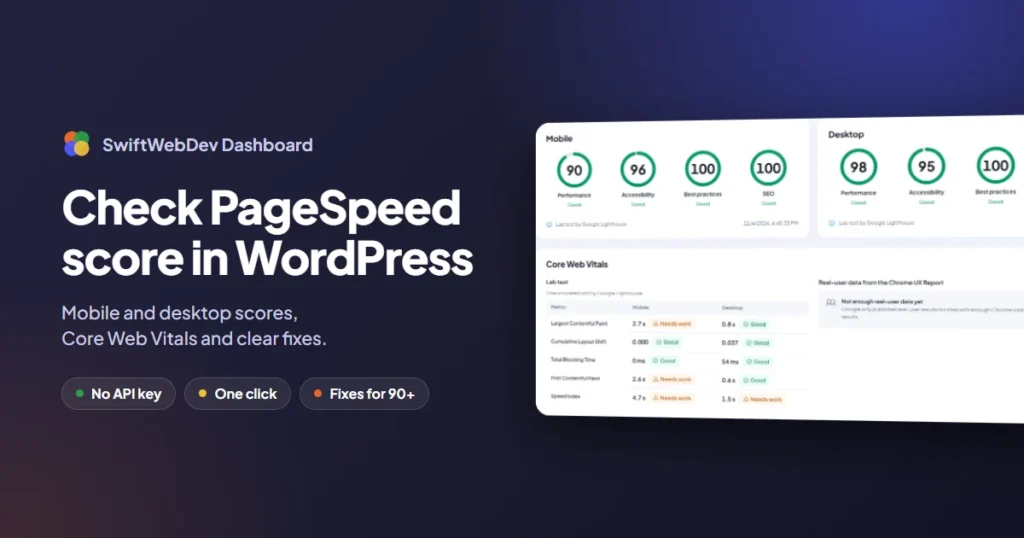
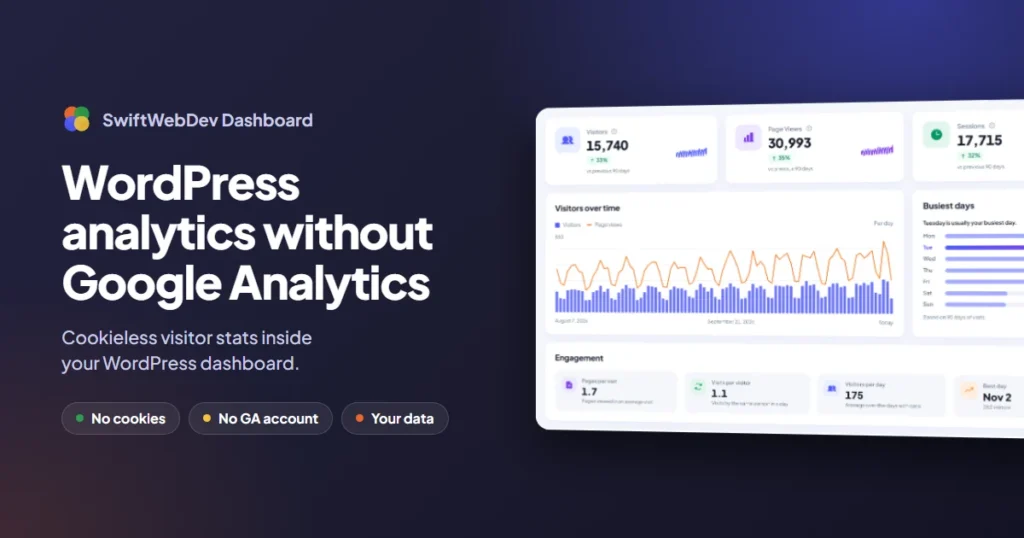
I built SwiftWebDev Dashboard & Analytics, a free plugin that adds its own dashboard screen to the WordPress admin with cookieless visitor stats, Google PageSpeed scores, pending updates, Site Health and recent activity. It’s a fit if you want one screen for the whole site rather than a separate analytics section. It shows visitors, page views and sessions for the last 7, 30 or 90 days, plus visitors over time, the busiest days of the week and engagement. Each visit is identified by a one-way hash of the IP address and browser combined with a random value that changes every day, and IP addresses are never saved. Daily totals are kept for 180 days.
The free plugin doesn’t record which pages people visit, so it has no top pages report. Reports such as top pages, traffic sources and countries are in the paid SwiftWebDev Dashboard PRO add-on. If you only want analytics and nothing else, one of the plugins above may suit you better.
Do you still need a cookie banner?
This is the question I get most, and the honest answer is that it depends on more than your analytics plugin.
A cookieless analytics plugin removes one reason for a banner: it doesn’t store an analytics cookie or anything else in the visitor’s browser. That matters, because consent rules in the EU and the UK are triggered by storing or reading information on the visitor’s device, not by the word “analytics”.
Your banner question is about the whole page, though. Embedded YouTube videos, Google Maps, chat widgets, social buttons, ad scripts and fonts loaded from a third party can all set cookies or send visitor data elsewhere. If any of those are on your pages, you may still need consent for them. The rules also differ by country, and some regulators read them more strictly than others.
So the useful steps are:
- Switch to a cookieless analytics plugin so analytics isn’t the reason you need consent.
- Check what else on your pages sets cookies. Your browser’s developer tools show every cookie under the Application or Storage tab.
- Remove or replace what you don’t need, for example by hosting fonts on your own server.
- If you serve visitors in the EU or UK and you’re unsure, ask a privacy professional. This post isn’t legal advice.
What you give up without Google Analytics
A self-hosted plugin covers the everyday questions well. Here’s what’s harder to replace.
- Google Ads and conversion tracking. If you buy Google Ads, you’ll want Google’s own tracking to measure them.
- Cross-site and cross-device reports. Cookieless tools can’t follow one person across sessions, devices or several of your domains, by design.
- Audiences and funnels. Segmenting visitors by behavior over weeks needs the kind of identifier that cookieless tools avoid.
- Search queries. No analytics tool shows the Google searches that brought people in. That data comes from Google Search Console, which you can use alongside any plugin. It’s free and needs no tracking code.
For most small business sites, blogs and portfolios, the first three don’t come up, and Search Console covers the fourth.
How to choose
- You want a simple count with the least data stored: Statify or Koko Analytics.
- You want detailed reports inside WordPress: WP Statistics, Burst Statistics or Independent Analytics.
- You want visitors, speed scores and site health on one dashboard: SwiftWebDev Dashboard.
- You manage many sites and want one dashboard for all of them: a hosted service such as Plausible or Fathom.
- You run ads or need funnels: keep Google Analytics, and consider a cookieless plugin as a second, simpler view.
Whichever you pick, install only one analytics plugin. Two counters on the same site double the work on every page view and give you two sets of numbers that never quite match.
Questions people ask about WordPress analytics without Google
Can I track visitors in WordPress without Google Analytics?
Yes. A self-hosted analytics plugin counts visits on your own server and shows visitors, page views and top pages in the WordPress admin. Most install in a minute and need no account.
Is cookieless analytics accurate?
It counts each visit accurately. What it cannot do is recognize the same person on another day or another device, so “unique visitors” over a month is an estimate. It often counts more real visits than cookie-based tools, because visitors who decline cookies are still counted.
Does an analytics plugin slow down WordPress?
A well-built one adds very little: a small script and one request per page view, sent after the page has loaded. Check that the plugin cleans up old visit records so your database does not keep growing.
Can I use Google Search Console without Google Analytics?
Yes. Search Console is a separate free tool. It shows the searches and pages that bring visitors from Google and needs no tracking code, just a one-time site verification.
Can I switch from Google Analytics to a plugin later?
Yes, but old data does not move across. Most plugins start counting from the day you activate them, so export any Google Analytics reports you want to keep first.
If you want to try the all-in-one route, the free SwiftWebDev Dashboard plugin gives you cookieless visitor stats on its own dashboard screen. You can download it from WordPress.org, and the plugin docs cover setup. The guide on how to check your PageSpeed score in WordPress covers the speed side. If your site needs custom tracking or a dashboard built for your clients, start a discussion with Swift Web Dev. That’s a separate development service, not part of the plugin.