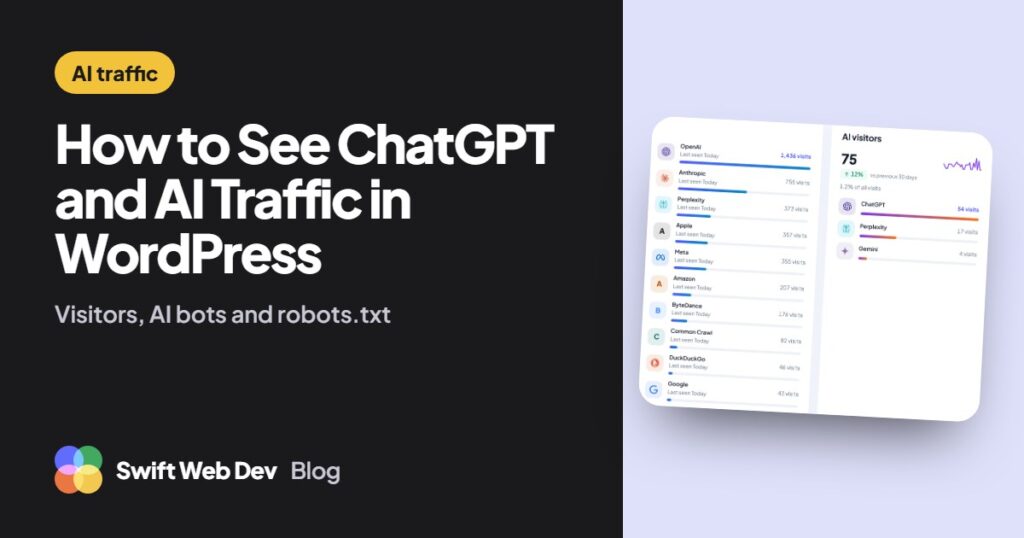
ChatGPT traffic reaches a WordPress site in two ways. People click a link in an answer and land on your pages, and bots read your pages so the assistant has something to answer with. To see both, you need AI traffic analytics that read where each visit came from and recognize AI crawlers on the server. Google Analytics only sees the first part.
I’m Rasel Hakkani, a WordPress developer. I built the AI traffic cards in my free SwiftWebDev Dashboard plugin, so this guide explains how that counting works, what it can see and where every tool, mine included, falls short.
How ChatGPT and other AI assistants send visitors
When someone clicks a link in an AI answer, the browser usually tells your site where the click came from. That’s the referring address, or referrer. For ChatGPT it’s chatgpt.com. For Perplexity it’s perplexity.ai, for Gemini gemini.google.com, for Claude claude.ai and for Copilot copilot.microsoft.com.
ChatGPT also adds a tag to the links it shows: utm_source=chatgpt.com. A click from an answer lands on an address like this:
https://yoursite.com/pricing/?utm_source=chatgpt.comThe tag is part of the address itself, so it still identifies the visit when the browser sends no referrer. Any tool that reads the referrer or the utm_source tag can count these visits.
Google is the exception. Clicks from AI Overviews and AI Mode carry no special mark, so they arrive as ordinary Google search visits, in Google Analytics and in my plugin alike.
Why so much ChatGPT traffic shows up as Direct
A visit counts as Direct when it has neither a referrer nor a tag. With AI assistants that happens a lot:
- Copied links. Someone copies your address out of an answer and pastes it into a new tab. The browser sends no referrer, and if they copied only your domain name, there’s no tag either.
- Apps that drop the referrer. Some apps open links without a referring address or a utm_source tag. Those visits look exactly like someone who typed your address.
- Named but not linked. The answer mentions your business, and the person searches Google for your name later or types your address. That visit counts as Google or Direct, and nothing ties it back to the AI answer.
So every AI visitor number, in any tool, is a minimum. The real share is higher by an amount analytics can’t measure. The WooCommerce section near the end shows the one way I know to catch some of it: ask.
How to see AI visitors in WordPress without GA4
GA4 lists chatgpt.com as a referral source in its traffic reports, and a custom channel group can put all AI assistants in one row. That works, but it needs a GA4 property, the tracking tag on your site and a channel group you maintain yourself. If you’d rather keep your stats inside WordPress, I compared the options in WordPress analytics without Google Analytics.
This is how to see AI visitors with the free SwiftWebDev Dashboard plugin:
- In WordPress, go to Plugins, then Add New, search for “SwiftWebDev Dashboard”, then install and activate it. You can also download it from WordPress.org.
- Open SwiftWebDev in the admin menu.
- Find the AI visitors card. It lists visits from ChatGPT, Perplexity, Gemini, Claude, Copilot and six more assistants, with their share of all visits and the change from the previous period.
- Choose 7, 30 or 90 days with the period picker at the top of the dashboard.
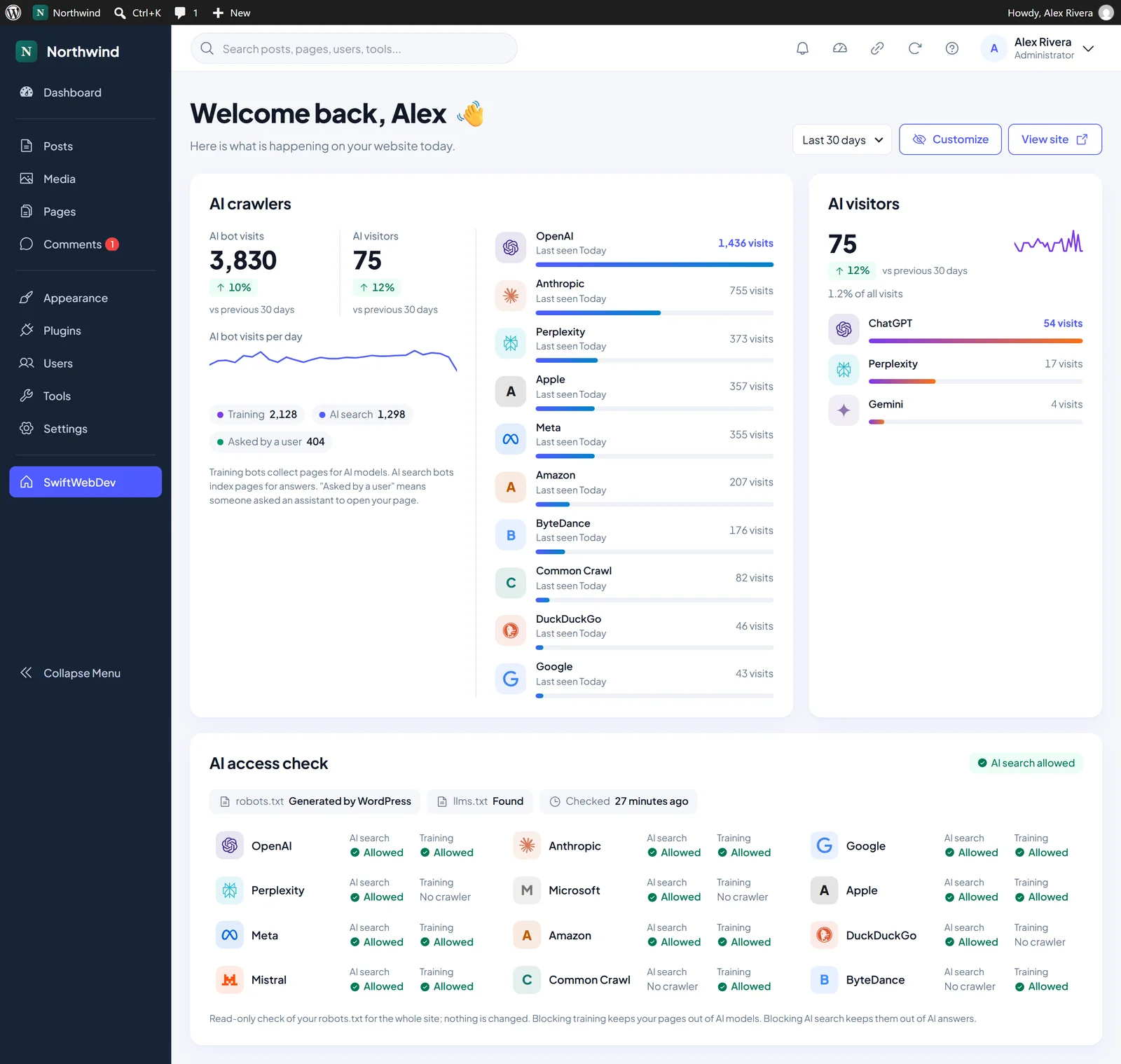
A visit counts as AI when its referrer is an assistant’s site or its utm_source tag names one. Each visit is counted once, on your own server, without cookies, and IP addresses are never saved. Counting starts on the day you activate the plugin, so there’s no history from before that.
Two more places show the same numbers. The toolbar at the top of your admin shows today’s AI visits when you hover over the visitor count. The optional Weekly Site Report email, off until you turn it on, includes AI visitors and AI bot visits with the change from the week before.
To see which pages AI visitors land on, the separate SwiftWebDev Dashboard PRO add-on has an AI assistant landing pages report. The free plugin shows totals per assistant.
Which AI bots crawl your site: training, AI search and user requests
The second kind of AI traffic is bots. AI crawlers usually fetch a page without running your analytics script, so they don’t appear in Google Analytics at all. You see them in your server logs, or in a tool that checks each request on the server.
Most AI companies run more than one bot, and each one has a different job:
- Training bots collect pages to train AI models.
- AI search bots index pages so the assistant can quote and link to them in answers.
- Asked by a user means the assistant opened your page because someone asked it to, right then.
| Company | Training | AI search | Asked by a user |
|---|---|---|---|
| OpenAI | GPTBot | OAI-SearchBot | ChatGPT-User |
| Anthropic | ClaudeBot | Claude-SearchBot | Claude-User |
| Perplexity | None listed | PerplexityBot | Perplexity-User |
| Google-Extended (a robots.txt rule, not a separate bot) | Googlebot | Google-NotebookLM and others | |
| Meta | Meta-ExternalAgent | Meta-WebIndexer | Meta-ExternalFetcher |
| Apple | Applebot-Extended (a robots.txt rule, not a separate bot) | Applebot | None listed |
| Common Crawl | CCBot (an open dataset many AI models train on) | None | None |
The names come from each company’s own documentation, for example OpenAI, Anthropic and Perplexity.
GPTBot is the one most people ask about. It collects pages to train OpenAI’s models. OpenAI says you can block GPTBot and still appear in ChatGPT search, because that’s OAI-SearchBot’s job, and the two settings are independent.
In SwiftWebDev Dashboard, the AI crawlers card shows how often each company’s bots visited, split into the three purposes, with the last day each one was seen. Next to it you see AI bot visits and AI visitors side by side, so you can compare how much AI reads with how many people it sends. The plugin stores only a daily total per bot. It keeps no IP address, user agent or requested address, and it sends nothing to AI companies or anyone else.
Two limits to keep in mind:
- Caching hides some visits. When a page cache or your host answers a request before WordPress runs, no plugin can count it. The card then says the counts are a minimum. Your cache plugin may let you exclude AI bots, often under a setting called rejected user agents.
- Bot names can be faked. A bot is recognized by the name it sends, and anyone can copy that name. OpenAI publishes the IP addresses its bots use, which is how a firewall can check them. The plugin counts by name only.
How to check if robots.txt blocks AI crawlers
robots.txt is a plain text file at the root of your site that tells crawlers what they may read. Open https://yoursite.com/robots.txt in a browser to see yours. If you never created one, WordPress generates it for you.
Rules are grouped by bot name. This example blocks OpenAI’s training crawler and leaves ChatGPT search in:
User-agent: GPTBot
Disallow: /

User-agent: OAI-SearchBot
Allow: /
Look for groups that name an AI bot. Also look for User-agent: * followed by Disallow: /, which asks every crawler to stay out, AI or not.
The AI access check card in SwiftWebDev Dashboard does this reading for you. It shows, per AI company, whether your robots.txt allows its AI search and training crawlers, with a clear warning when AI search is blocked. It also shows whether your site has an llms.txt file. The check is read-only: it never changes your robots.txt, and it reads the file at most once every 12 hours.
What a robots.txt check can’t see
robots.txt only states what you ask crawlers to do. Many hosts, CDNs and security plugins block bots before the request ever reaches WordPress, for example with a block AI bots switch at the CDN or a firewall rule. Those blocks are invisible to any robots.txt check, mine included.
If the access check says a company is allowed but the AI crawlers card shows no visits from it for weeks, look at your CDN, your hosting control panel and your security plugin. Also note that robots.txt is a request, not a lock. OpenAI says robots.txt rules may not apply to ChatGPT-User, because those visits are started by a person.
Should you block AI crawlers?
It’s your choice, and the two kinds of block do different things. Blocking training crawlers keeps your pages out of AI model training. Blocking AI search crawlers keeps your pages out of AI answers, which also means those assistants can’t link to you. A common middle ground is to block training bots and allow AI search, so assistants can still cite and link to your pages.
For WooCommerce stores: ask buyers how they found you
Everything above measures clicks. A lot of AI influence happens without one. A buyer asks ChatGPT which product to get, sees your store named, and types your address a few days later. In your analytics, and in WooCommerce Order Attribution, that order shows up as Direct or Unknown, because Order Attribution can only record the last click it sees.
The only way I know to catch those orders is to ask the buyer. My free SourceSay plugin adds “How did you hear about us?” to the WooCommerce order confirmation page, after payment, so it can’t cost you a sale. Its default answer list includes “AI assistant (ChatGPT, Perplexity)” with a “Which one?” follow-up, and you can edit every option. Each answer is saved with the order total, so the report shows revenue per channel, not just a count of votes.
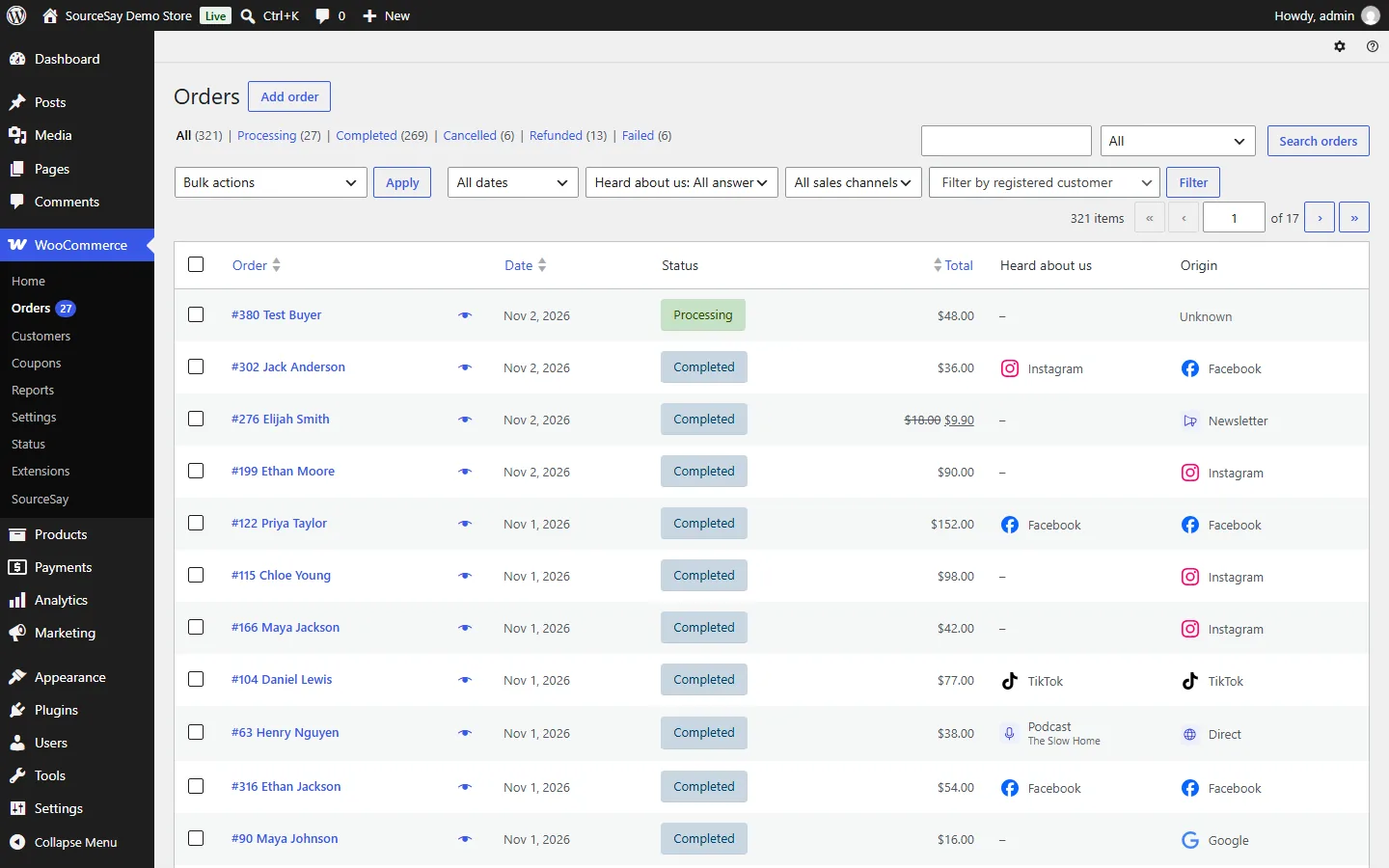
SourceSay doesn’t change what Order Attribution records. It shows what customers said for those Direct and Unknown orders, side by side with what WooCommerce tracked. Not every buyer answers, and memory isn’t perfect, so treat the answers as another partial view. Together with the AI visitors card, you get a clearer picture than either gives alone. SourceSay is free on WordPress.org, with unlimited responses.
Questions about ChatGPT and AI traffic in WordPress
Can I see ChatGPT traffic in WordPress without Google Analytics?
Yes. SwiftWebDev Dashboard counts visits from ChatGPT and other AI assistants on your own server, by referrer or utm_source tag, and shows them on the WordPress dashboard. There’s no Google account, tracking tag or cookie involved.
Why does ChatGPT traffic show as Direct?
People copy links out of answers, some apps open links without a referrer or tag, and many people read your name in an answer and type your address later. None of those visits carry a sign that they came from ChatGPT.
Does Google AI Overviews traffic count as AI traffic?
Not separately. Google doesn’t mark clicks from AI Overviews or AI Mode, so they arrive as normal Google search visits, the same as in Google Analytics.
What is GPTBot, and should I block it?
GPTBot is OpenAI’s crawler for training its models. Blocking it keeps your pages out of that training. It doesn’t remove you from ChatGPT search, which uses OAI-SearchBot.
How do I know if my host is blocking AI crawlers?
A robots.txt check can’t tell you, because host and firewall blocks happen before WordPress. Compare what your robots.txt allows with the bot visits you actually get. A company that is allowed but never shows up points to a block at the host, CDN or security plugin.
Does counting AI visitors need cookies?
No. SwiftWebDev Dashboard counts each visit with a daily one-way hash, sets no cookies and never saves IP addresses. All data stays in your WordPress database.