Free WordPress plugin
The free dashboard plugin with cookieless WordPress analytics plus speed scores and site health
SwiftWebDev Dashboard & Analytics adds one clean dashboard screen to WordPress. It answers the questions you ask every day: how many people visited, how fast is the site, and is anything out of date? No cookies, no Google Analytics account and no API key.
Listed on WordPress.org. You can also install it from Plugins, Add New Plugin in your WordPress admin: search for SwiftWebDev Dashboard.
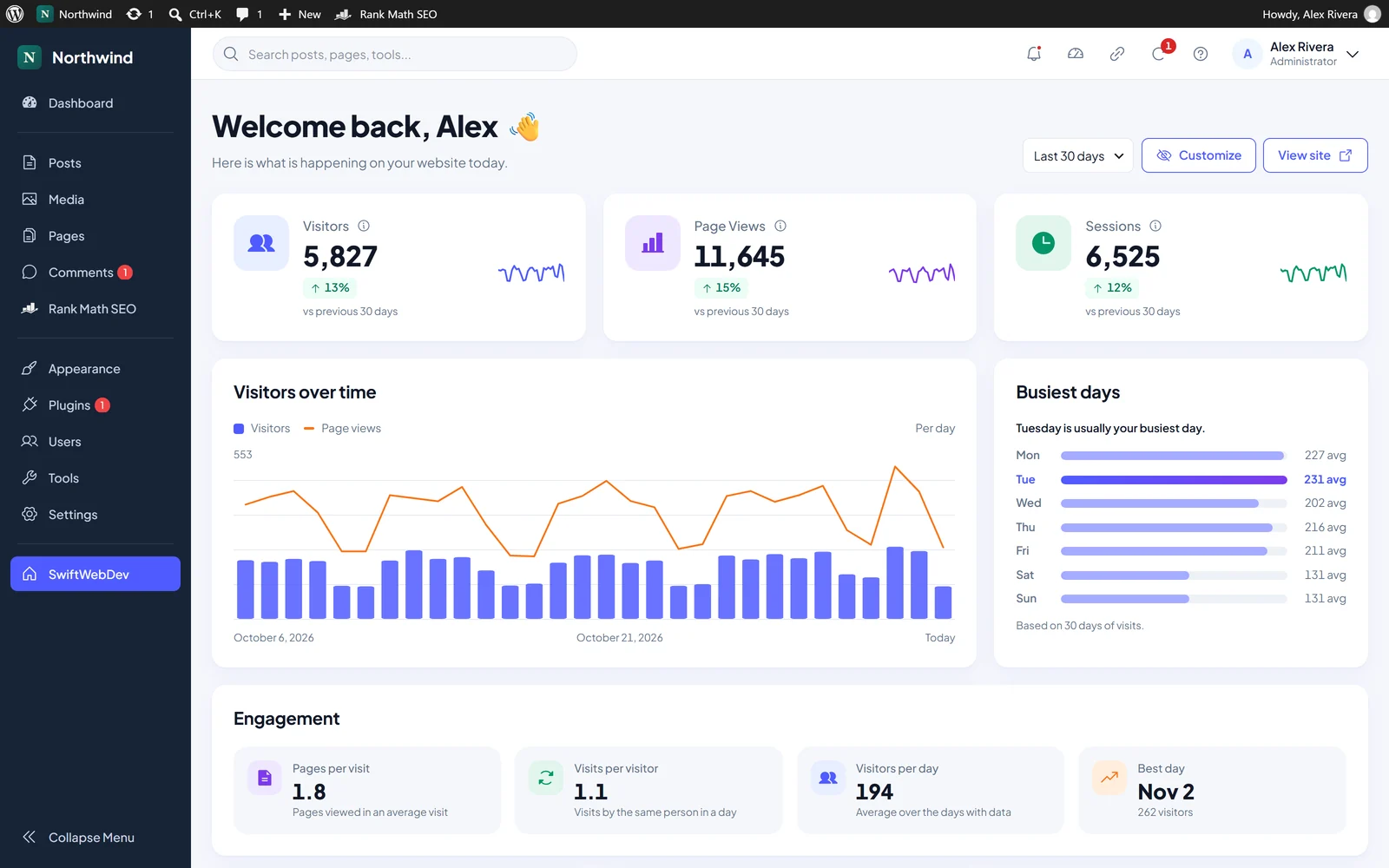
- How many people visited?
- How fast is the site?
- Is anything out of date?
- Where do I click next?
What SwiftWebDev Dashboard shows you
I am Rasel Hakkani, a WordPress developer. I built SwiftWebDev Dashboard because the default dashboard tells you almost nothing about your own site. These are real screenshots of the plugin. Pick a screen.
Cookieless visitor stats
Visitors, page views and sessions for the last 7, 30 or 90 days, each with a trend against the previous period and a sparkline. Below them sit a visitors over time chart, your busiest days of the week and engagement: pages per visit, visits per visitor and your best day. Visits are counted on your own site and stored in your own database. Logged-in users are not counted by default.
WordPress analytics without Google Analytics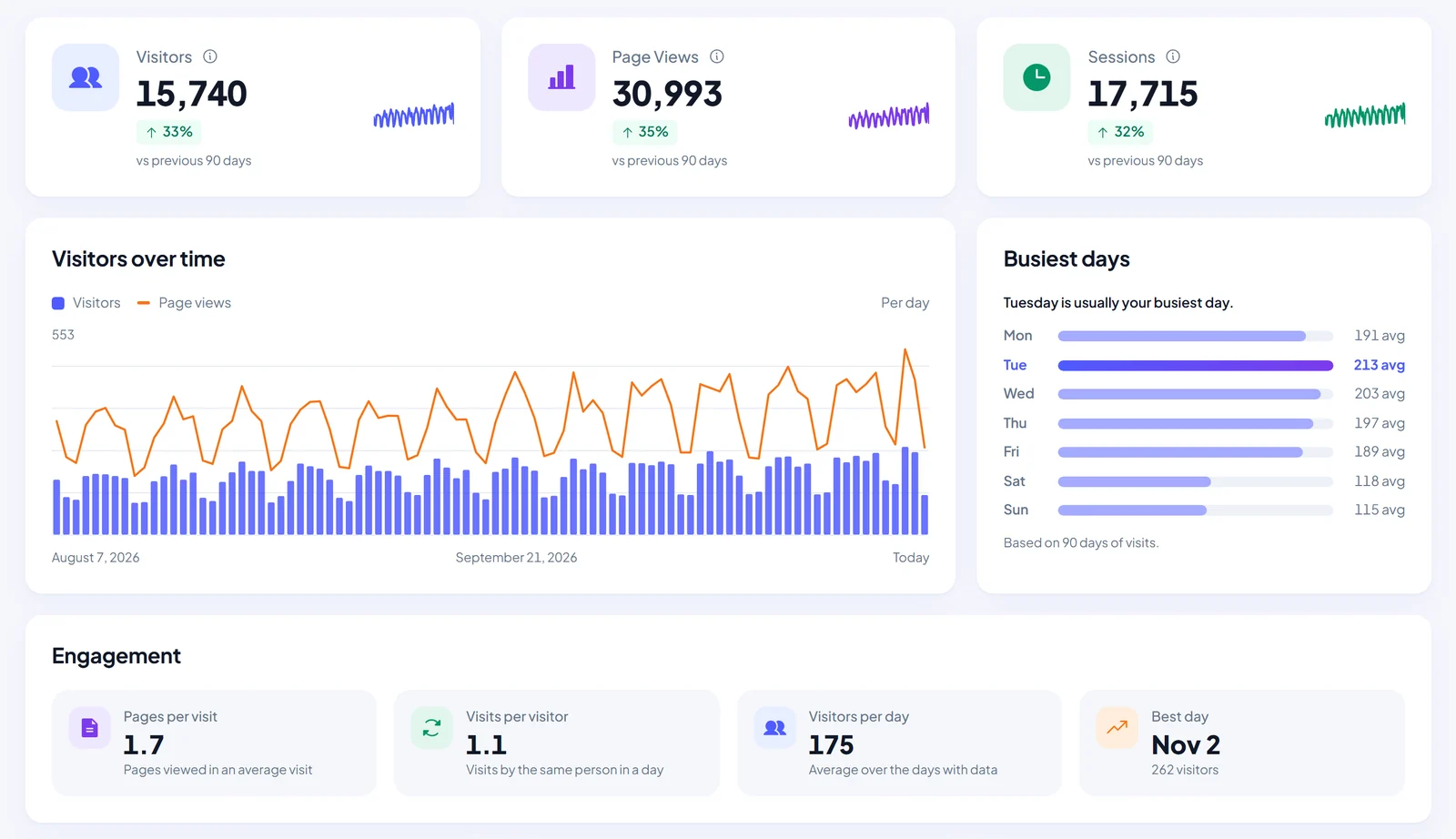
PageSpeed scores with fixes
Run a Google PageSpeed test for mobile and desktop with one click, on your homepage or any other page of your site. You get Performance, Accessibility, Best practices and SEO scores, Core Web Vitals from the lab test, real-user Chrome data when Google has it, and a ranked list of what to fix to reach 90+, in plain language.
Check your PageSpeed score in WordPress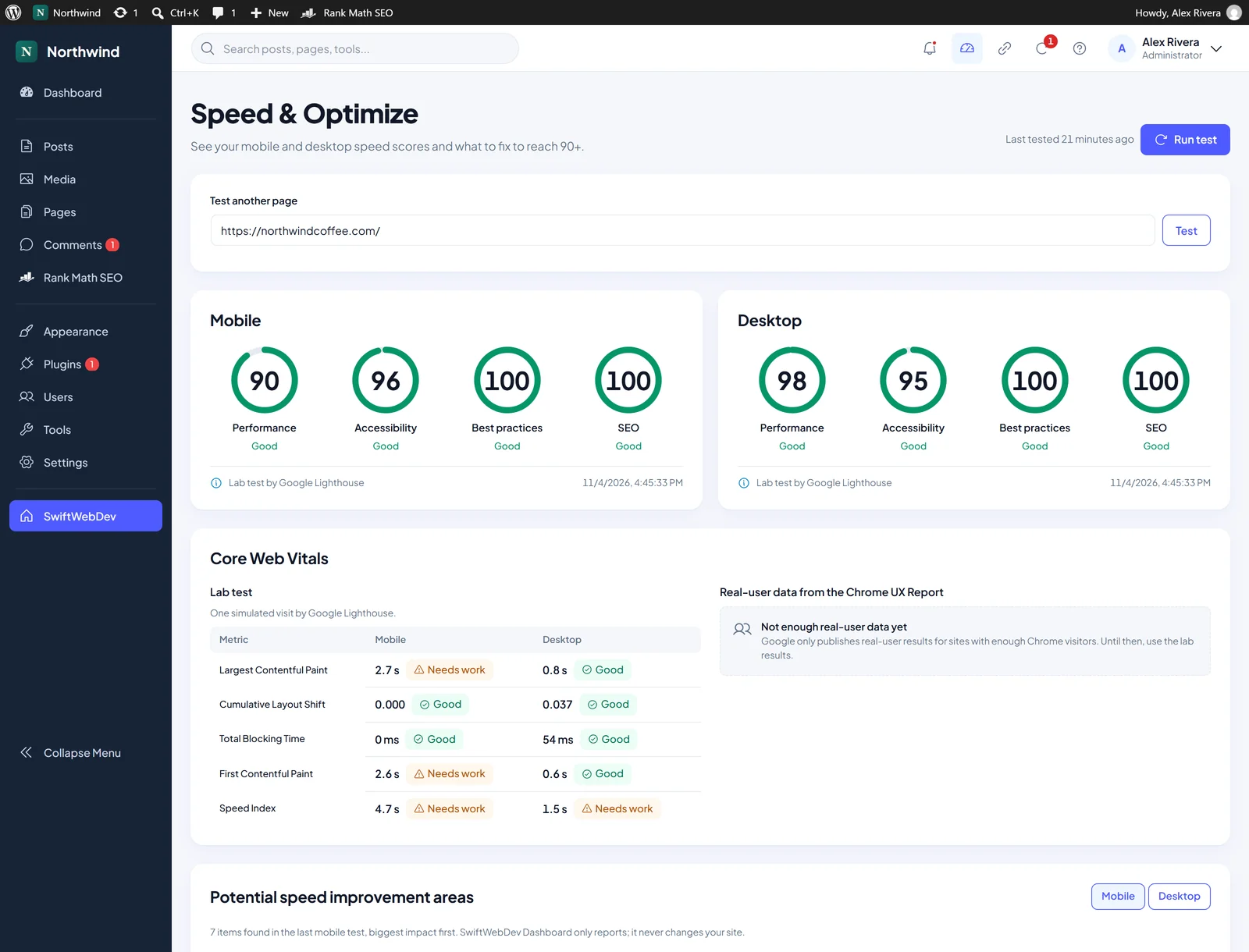
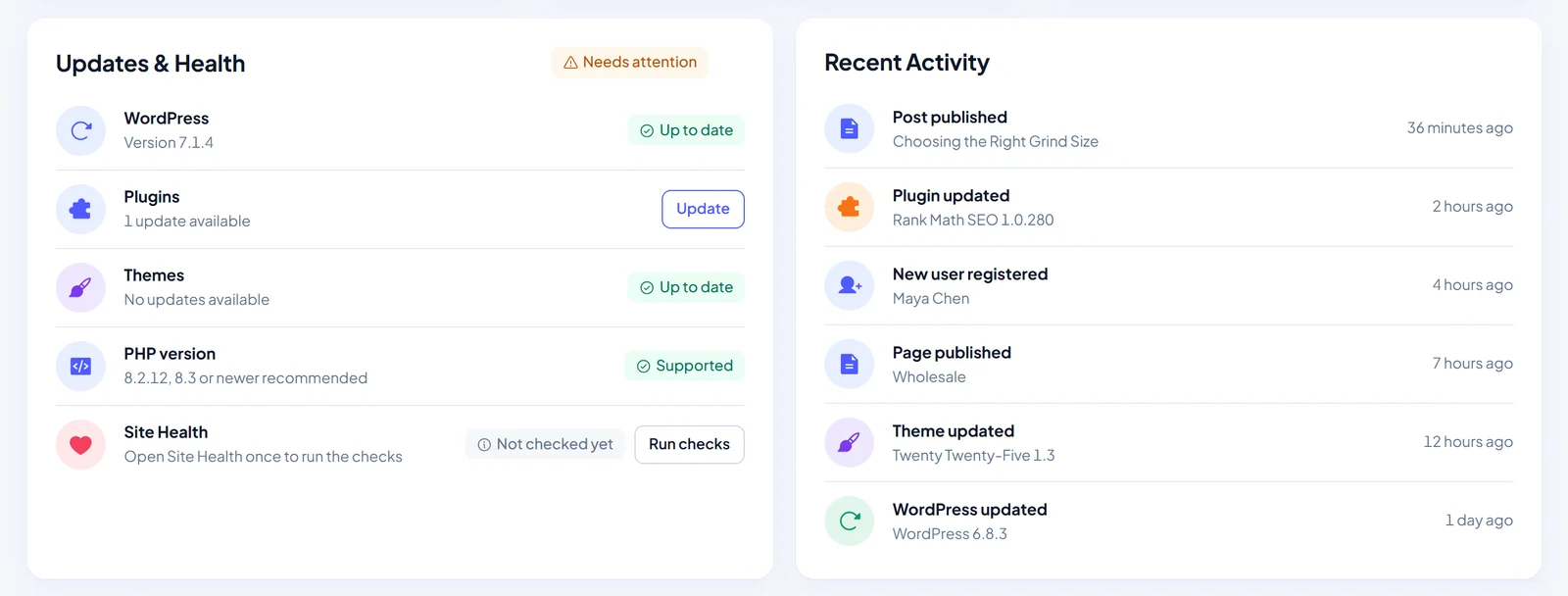
Updates and site health
Pending WordPress, plugin and theme updates, your PHP version next to the recommended one, and your Site Health status with a shortcut to run the checks. A recent activity feed lists published posts and pages, new users and plugin or theme updates.
Quick links
One-click shortcuts to the WordPress tasks you use most. Pin, reorder, hide and search them. Each user keeps their own pinned list, so your editor and you can each set it up the way you work.
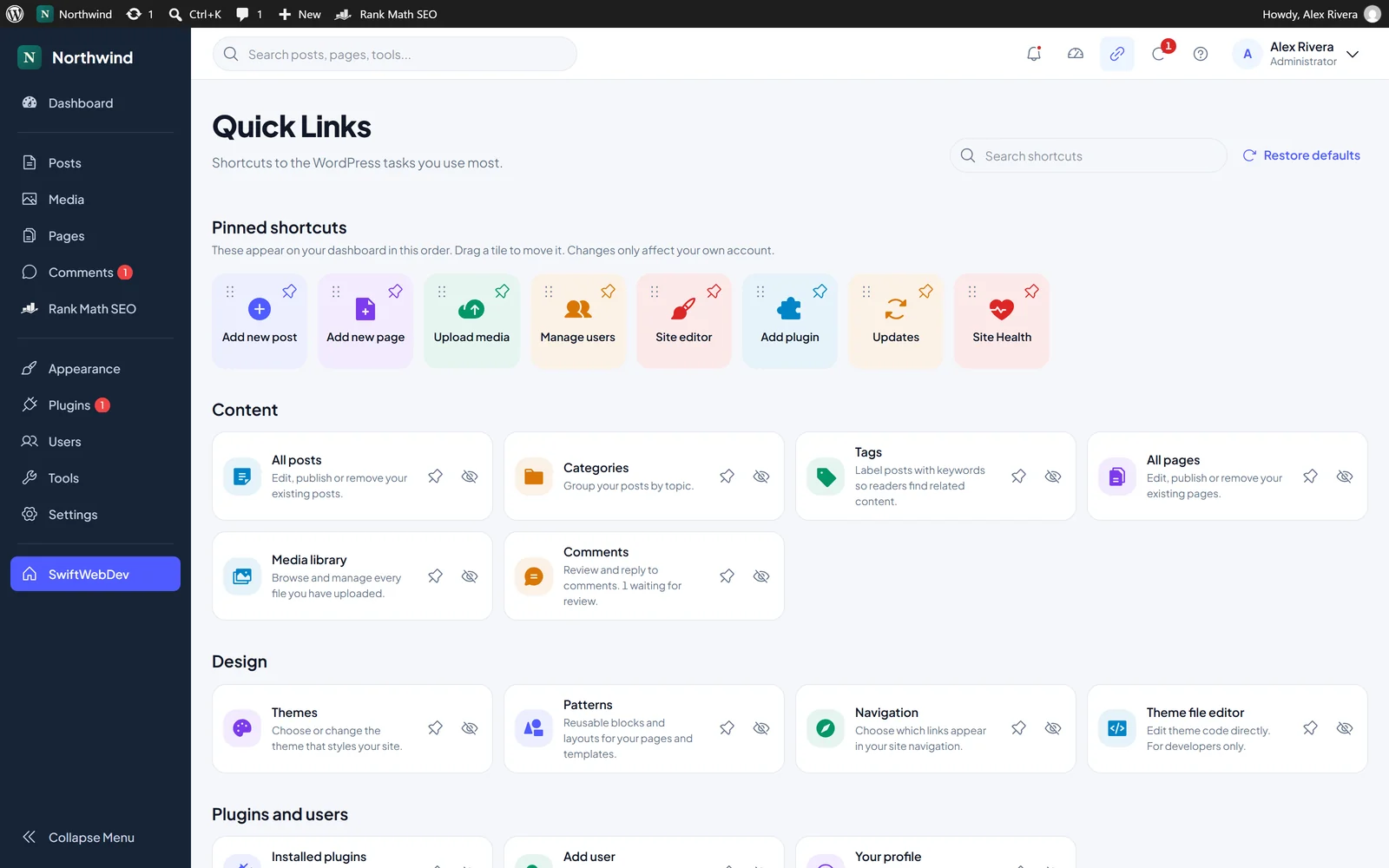
A modern admin, not a new one to learn
The WordPress admin menu gets a matching modern style on every admin page. The plugin adds one SwiftWebDev item to the menu and everything else stays where you expect it.
- Your site name and site icon at the top of the menu, or a logo and name you choose
- Search posts, pages and tools from the dashboard header
- Show, hide and drag dashboard cards into your own order
- Open it after login if you like. The classic WordPress dashboard stays one click away
- Administrators get the new look. Other users keep the normal admin
How a visit gets counted without cookies
No cookies and no browser storage. Here is the whole path of one page view, from the browser to your database.
- 1
The page loads
After the page has finished loading, one small counter script sends a single request to your own site.
- 2
A daily hash
The visit gets a one-way hash of the IP address and browser, mixed with a random value that changes every day. Nobody can be followed from one day to the next.
- 3
48 hours
Raw visit records are deleted after 48 hours.
- 4
180 days of totals
Daily totals are kept for 180 days in your WordPress database: the longest period shown plus the one before it, for comparison. Nothing leaves your site.
- IP addresses
- Browser details
- Cookies
- Browser storage
- Page addresses
What about the cookie banner? Cookieless analytics removes the analytics cookie. Whether your site still needs a banner depends on everything else on the page and on where your visitors live. That is general information, not legal advice.
Free does the job. PRO goes deeper.
The free plugin works fully on its own, with no limits, license key or account. SwiftWebDev Dashboard PRO is a separate add-on that adds an Analytics screen for when you want the full picture. The free dashboard shows one small notice about PRO, and you can hide it.
Free plugin
SwiftWebDev Dashboard
- Cookieless visitors, page views and sessions for 7, 30 or 90 days
- Visitors over time, busiest days and engagement
- PageSpeed scores for any page of your site, on mobile and desktop, with fixes
- Updates, PHP version, Site Health and recent activity
- Quick links and the modern admin menu
Paid add-on
SwiftWebDev Dashboard PRO
- A full Analytics screen with detailed reports
- Real-time visitors
- Countries, devices and browsers
- Traffic sources, top pages and referrers
- Forms, clicks, bots, on-site search and custom events
- Session recordings with masked form inputs
- Any date range and CSV export
- Weekly scheduled speed tests with score history and email alerts
A PRO license is software only and does not include Swift Web Dev development services. Compare everything on the SwiftWebDev Dashboard PRO plans page.
Questions before you install
Straight answers about cookies, speed and your data. Setup steps and settings live in the docs.
Does SwiftWebDev Dashboard use cookies?
No. The free visitor stats are counted without cookies or browser storage. Each visit is identified by a one-way hash of the IP address and browser, combined with a random value that changes every day. IP addresses and browser details are never saved.
Will SwiftWebDev Dashboard slow down my site?
The visitor counter is a small script that sends one request per page view after the page has loaded. The plugin adds nothing else to your front end. Speed tests run only when an administrator clicks Run test.
Do I need a Google API key for speed tests?
No. Speed tests run through the SwiftWebDev speed test service with our own key. The free plugin can test your homepage or any other page of your site.
Do I still need a cookie banner?
SwiftWebDev Dashboard does not set an analytics cookie, so it adds no cookie of its own to your banner. Whether your site needs a banner depends on everything else on the page, such as embeds, ads or other tools, and on where your visitors live. This is general information, not legal advice.
Where is my visitor data stored?
In your own WordPress database. Raw visit records are deleted after 48 hours and daily totals are kept for 180 days. Page addresses are not stored. The speed test service receives no visitor data and does not store results.
What is the difference between free and PRO?
The free plugin works fully on its own, with no limits or license key: visitor stats for up to 90 days, speed scores for any page, updates, site health and quick links. SwiftWebDev Dashboard PRO is a separate add-on that adds an Analytics screen with real-time visitors, traffic sources, session recordings, CSV export and weekly speed tests with email alerts. A PRO license is software only and does not include Swift Web Dev development services.
Install it. Open it. That is the setup.
SwiftWebDev Dashboard needs WordPress 6.5 or later and PHP 7.4 or later. There is nothing to connect and no account to create.
- 1Install and activate SwiftWebDev Dashboard & Analytics from the Plugins screen.
- 2Open SwiftWebDev in the admin menu. Your dashboard is ready.
- 3Optional: set your own sidebar logo and name in the plugin settings.