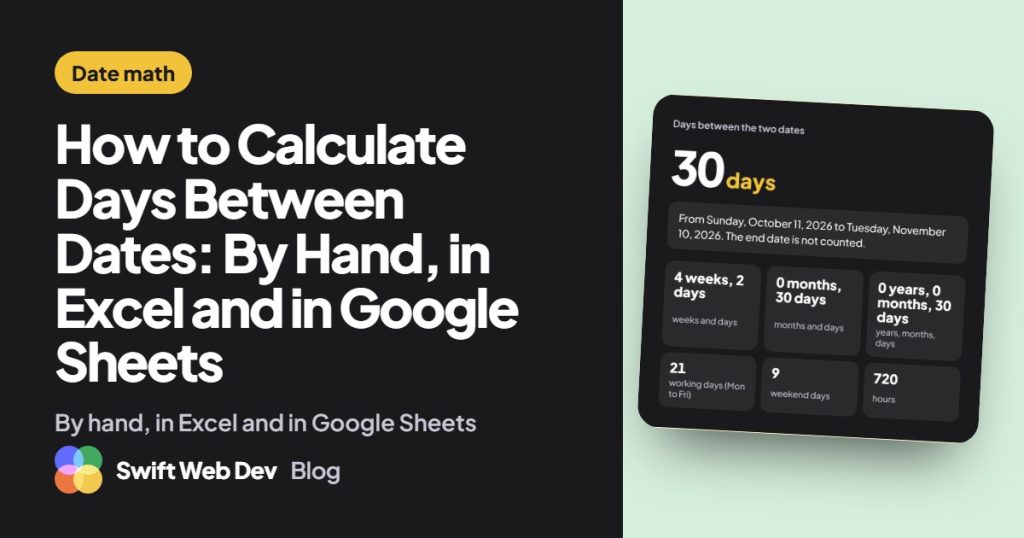
To calculate the days between two dates, subtract the earlier date from the later one. By hand, that means adding the days left in the first month, the full months in between and the day number of the end date. In Excel or Google Sheets, type =B2-A2 with the start date in A2 and the end date in B2.
That covers most cases. The trouble starts with leap years, weekends and the question of whether the last day counts. I ran into all three while building the days between dates calculator on this site, so here is the method, the formulas and the traps.
How to calculate days between two dates manually
Split the span into three pieces and add them up:
- Days left in the first month. Take the length of the month and subtract the start day.
- Full months in between. Add the length of each one.
- Days used in the last month. This is simply the day number of the end date.
You need the month lengths for that.
| Month | Days |
|---|---|
| January, March, May, July, August, October, December | 31 |
| April, June, September, November | 30 |
| February | 28, or 29 in a leap year |
Worked example across a leap year
How many days are there from 15 January 2024 to 10 April 2024?
- Days left in January: 31 − 15 = 16.
- February 2024: 29, because 2024 is a leap year.
- March: 31.
- Days used in April: 10.
- Total: 16 + 29 + 31 + 10 = 86 days.
Run the same dates in 2025 and February has 28 days, so the answer is 85. That one day is the most common mistake in hand counts. A year is a leap year if it divides by 4. Century years only count if they divide by 400, so 2000 was a leap year and 2100 is not.
A shorter check: 1 January 2024 to 1 March 2024 is 31 days for January plus 29 for February, which is 60 days.
Does the count include the end date?
This is the trap that catches almost everyone. Subtracting two dates gives you the gap between them. It counts the start date and stops the day before the end date.
Monday 4 March 2024 to Friday 8 March 2024 is 8 − 4 = 4 days. But if you worked Monday through Friday, you worked 5 days. Both answers are right. They answer different questions.
- Use the plain difference for gaps and durations: how long until a deadline, nights in a hotel, the age of an invoice.
- Add 1 when both the first and last day are used: days of leave taken, days of a rental, the length of an event. 1 March to 31 March is 30 days by subtraction, but a booking that covers both dates is 31 days.
Before you count anything for a contract or a notice period, find out which one the other side means.
How to calculate days between dates in Excel
Excel stores every date as a number that goes up by 1 each day, so date math is just subtraction. In all the formulas below, the start date is in A2 and the end date is in B2.
Simple subtraction
=B2-A2With 1 January 2024 and 1 March 2024 this returns 60. If the cell shows a date instead of a number, change its format to General or Number. To include the end date, add 1:
=B2-A2+1The DAYS function
=DAYS(B2,A2)DAYS returns the same 60. Watch the order: the end date goes first. I mostly use plain subtraction, but DAYS reads more clearly in a long formula.
DATEDIF for days, months and years
DATEDIF is the one to use when you want whole months or years instead of days. Excel doesn’t suggest it as you type, but it works. The start date goes first, and it must be the earlier date or you get a #NUM! error.
=DATEDIF(A2,B2,"d")Here is what each unit returns, using 15 June 1995 as the start and 1 March 2026 as the end.
| Unit | What it returns | Result |
|---|---|---|
| “d” | Total days between the dates | 11,217 |
| “m” | Complete months between the dates | 368 |
| “y” | Complete years between the dates | 30 |
| “ym” | Months left over after the complete years | 8 |
| “md” | Days left over after the complete months | 14 expected, but check it |
A word of caution on “md”. Microsoft’s own DATEDIF documentation says it doesn’t recommend that unit because of known limitations, and it can return a wrong number around month ends. If the leftover days matter, double check the result against a hand count or a calculator.
Days between dates excluding weekends
For working days, Excel has two functions.
=NETWORKDAYS(A2,B2)NETWORKDAYS counts Monday to Friday and skips Saturday and Sunday. It counts both the start date and the end date. That matters: from Monday 1 January 2024 to Friday 1 March 2024 it returns 45, while a count that stops the day before the end date gives 44. Same inclusive trap, different function.
To leave out public holidays, list them in a range and pass it as the third argument:
=NETWORKDAYS(A2,B2,E2:E12)If your weekend is not Saturday and Sunday, use NETWORKDAYS.INTL. Its third argument sets the weekend. For example, 7 means Friday and Saturday, and 11 means Sunday only.
=NETWORKDAYS.INTL(A2,B2,7)You can also pass a string of seven digits that starts on Monday, where 1 marks a day off. “0000011” is a normal Saturday and Sunday weekend. Holidays go in the fourth argument.
Days from today, and days from a date
TODAY() returns the current date and updates each time the sheet recalculates. Use it in place of either date.
=A2-TODAY()That gives the days until a future date in A2. Flip it for the days since a past date:
=TODAY()-A2To go the other way and find the date a number of days from a date, add the number. With 1 January 2024 in A2, this returns 1 March 2024:
=A2+60How to calculate days between dates in Google Sheets
Everything above works in Google Sheets with the same syntax: subtraction, DAYS, DATEDIF, NETWORKDAYS, NETWORKDAYS.INTL and TODAY. I’ve moved date sheets between the two without rewriting a formula.
| You want | Formula | Excel | Google Sheets |
|---|---|---|---|
| Days between two dates | =B2-A2 or =DAYS(B2,A2) | Yes | Yes |
| Days including the end date | =B2-A2+1 | Yes | Yes |
| Complete months or years | =DATEDIF(A2,B2,”m”) or “y” | Yes | Yes |
| Working days, Monday to Friday | =NETWORKDAYS(A2,B2) | Yes | Yes |
| Working days, custom weekend | =NETWORKDAYS.INTL(A2,B2,7) | Yes | Yes |
| Days from today | =A2-TODAY() | Yes | Yes |
In either app, a #VALUE! error usually means one of the cells holds text that looks like a date, not a real date. Retype it or fix the cell format.
How to calculate age from a date of birth in Excel
Age is a days between dates problem with one twist: people want years, not days. With the date of birth in A2, this gives age in complete years:
=DATEDIF(A2,TODAY(),"y")Don’t divide the days by 365. It drifts by a day every leap year and gets birthdays wrong. For years and months together:
=DATEDIF(A2,TODAY(),"y")&" years, "&DATEDIF(A2,TODAY(),"ym")&" months"Someone born on 15 June 1995 is 30 years, 8 months and 14 days old on 1 March 2026. The first two parts come out of “y” and “ym” cleanly. The days are where “md” gets shaky, so for an exact figure I’d use the age calculator, which counts on the real calendar and handles 29 February birthdays.
For a baby, weeks are more useful than years. This returns full weeks since birth:
=INT((TODAY()-A2)/7)The baby age calculator shows weeks and months together, plus adjusted age for babies born early.
Questions people ask about counting days
Can Excel calculate days between dates?
Yes. Put the two dates in separate cells and subtract the earlier from the later, for example =B2-A2. Excel treats dates as numbers, so the result is the number of days. Format the result cell as General if it shows up as a date.
How do you calculate the number of days between two dates including the end date?
Work out the difference and add 1. From 1 January 2024 to 1 March 2024 the difference is 60 days, and counting both the first and last day gives 61. In a spreadsheet, use =B2-A2+1.
How do I calculate days between two dates excluding weekends in Excel?
Use =NETWORKDAYS(A2,B2). It counts Monday to Friday and includes both the start and end date. Add a range of holiday dates as a third argument to remove those too. For a different weekend, use NETWORKDAYS.INTL.
How do I calculate days between a date and today in Excel?
Use TODAY() as one of the dates. =TODAY()-A2 gives the days since the date in A2, and =A2-TODAY() gives the days until it. The answer changes each day because TODAY() updates on its own.
How do you calculate business days between two dates by hand?
Count the full weeks and multiply by 5, then add the weekdays in the leftover days. Sixty days starting on Monday 1 January 2024 is 8 full weeks, which is 40 working days, plus Monday to Thursday of the ninth week. That’s 44. Then subtract any public holidays that apply to you.
If you just want the number, the days between dates calculator gives you days, weeks, months and working days at once, with a switch for the end date. And if you need a date or booking calculator on your own WordPress site, start a discussion with Swift Web Dev.